Master Your Year: The 2026 Monthly Habit Tracker Canva Template
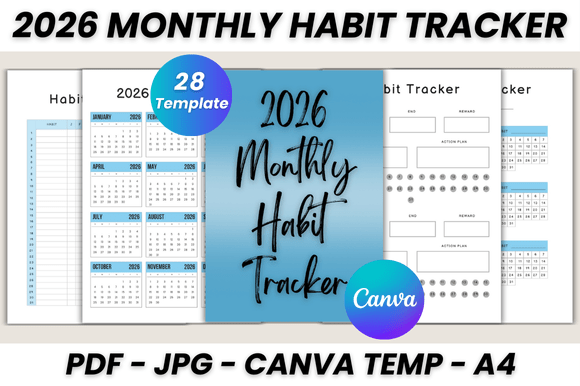
As a creative professional, I treat planning tools with the same scrutiny as a premium font or a complex logo design. If a system isn't visually intuitive, it fails. That’s why the 2026 Monthly Habit Tracker Canva set is a standout asset for anyone serious about productivity. It moves beyond the chaotic scribbles of a standard notebook, offering a structured yet flexible digital-physical hybrid. This isn't just a calendar; it is a comprehensive design asset comprising 28 printable pages tailored for the modern entrepreneur, designer, or content creator. It bridges the gap between the aesthetic appeal of editorial design and the ruthless utility required to run a business or manage a creative life.
The Anatomy of the 2026 Habit Tracker System
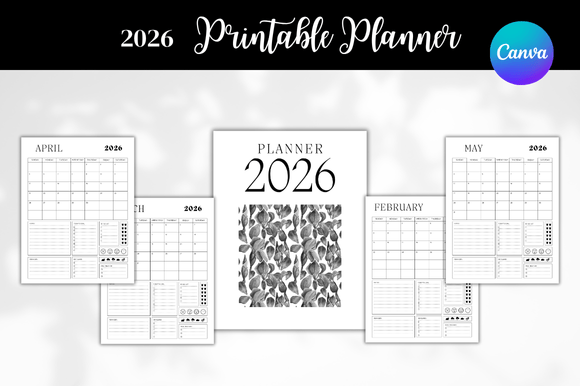
When you open the 2026 Monthly Habit Tracker Canva Template, you aren't greeted with empty white space. Instead, you encounter a cohesive visual language. The style leans toward modern typography—clean lines, balanced negative space, and a hierarchy that guides the eye naturally. This is crucial for readability. Whether you are tracking client deadlines, water intake, or content batching schedules, the layout ensures that the information hierarchy is maintained without visual clutter.
The package includes specific utility pages designed for real-world application:
- The "Belongs To" Page: Essential for brand identity, especially if you are a freelancer juggling multiple projects or a crafter organizing inventory.
- Editable Files & 2026 Calendar: The foundation. It allows for date-specific planning that aligns with the upcoming fiscal year, ensuring you aren't wasting time redrawing grids.
- Monthly Planner (Jan - Dec): This serves as your macro view. It’s where you apply the principles of visual hierarchy—placing high-priority goals at the top.
- Habit Trackers (10 Pages): This is the core of the system. Ten pages allow for granular tracking. I recommend using these for "keystone habits"—the one or two behaviors that trigger a cascade of positive results.
- Notes (2 Pages) & Thank You: Often overlooked, the notes section is vital for brainstorming sessions or rough sketching before moving to a high-fidelity design tool.
Customizing the Template: A Designer’s Playground
One of the strongest arguments for using the 2026 Monthly Habit Tracker Canva is the ease of customization. Canva has democratized design assets, but a template is only as good as its adaptability. Here, you have full control over the visual variables. You can treat this template like a base layer for your brand identity.
If you are a blogger or a social media manager, consider adjusting the color palette to match your digital aesthetic. This creates consistency across your physical desk setup and your online presence. You can swap fonts to match your brand voice—perhaps swapping a clean sans serif for a handwritten font to add a touch of personality, or a serif font for a more editorial, sophisticated look. The ability to resize means this 2026 Monthly Habit Tracker Canva Template works just as well as a desktop wallpaper as it does an A4 printout.
Strategic Application for Professionals
For the entrepreneur or small business owner, this tool is more than a planner; it is a strategic asset. In packaging design or web design, we talk about "user flow." Apply that same logic here. How do you flow through your day?
Use the monthly planner for high-level marketing campaigns. Use the habit trackers for the repetitive tasks that build a business—daily posting, networking emails, or skill acquisition. The visual feedback of checking off a box creates a dopamine loop that reinforces consistency. Because the file comes as a printable PDF (A4 size) and editable Canva link, you have the freedom to print the pages you need most. Perhaps you only need the habit trackers for Q1 and the notes for Q2. This modularity prevents the "wasted page" guilt associated with bound planners.
Ultimately, the 2026 Monthly Habit Tracker Canva system serves as a silent partner in your creative process. It handles the administrative load of organization, freeing up your cognitive bandwidth to focus on the work that matters—designing, writing, and building. It proves that the right organizational tool, much like the right typeface, doesn't just hold information; it elevates it.